
Asset module
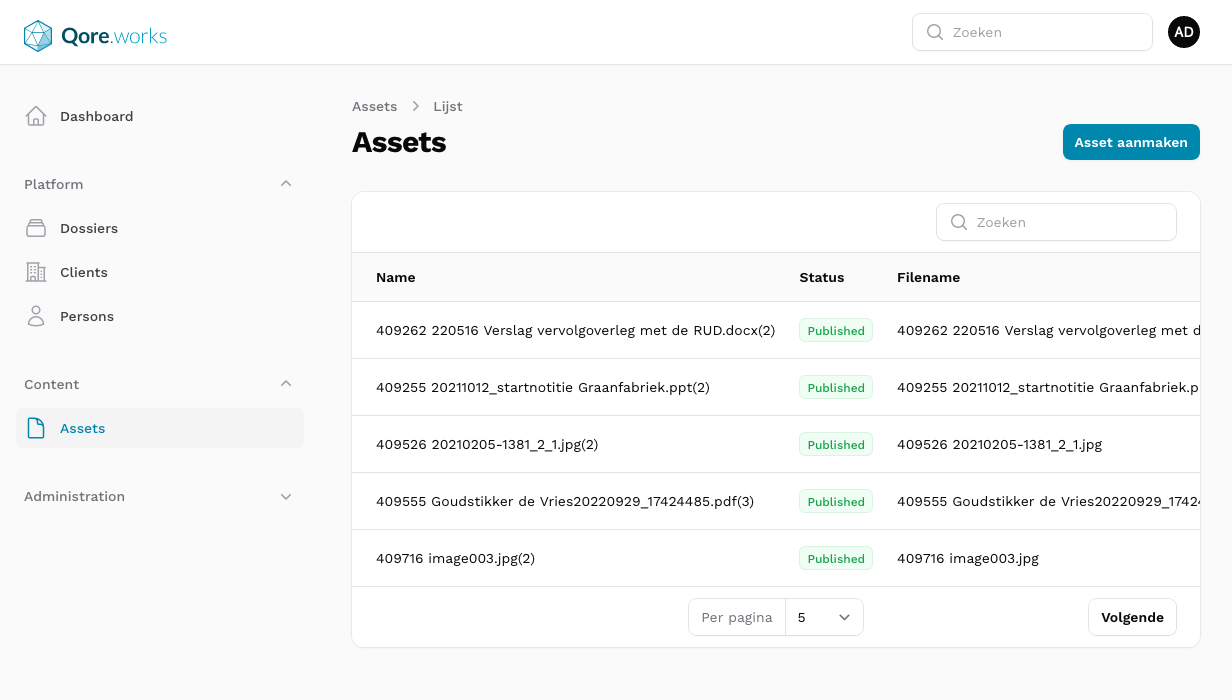
Introduction
The Assets module offers a way to upload files (assets) that have extra information attached to them, such as:
- Name
- With automatic deduplication feature - e.g.
MyFile(2)ifMyFilealready exists
- With automatic deduplication feature - e.g.
- Publish/unpublish feature
- Attach assets to models
- Show assets in multiple applications with custom policies
- Each application may define the policies when an upload may, for example, be viewed
Customization
Currently, it's not possible to customize the Asset module.
It is, however, possible to override the Asset Resource in Filament by creating the following file:
app/Application/Admin/Resources/AssetResource.phpViewing assets in other applications than Qore.admin
It's possible to show assets in other applications than Qore.admin (for example a Portal) to users. When doing this, you probably want to define a custom policy with custom rules when and if an upload may be shown to the user.
Creating a route to view assets
For example, to show assets in a portal application, register the route using:
// routes/portal.php
Qore::assetRoutes('portal-asset', 'application.portal.asset');Note: Do not use asset as the route prefix URI, as it is already in use by Qore.admin.
// don't
Qore::assetRoutes('asset', 'application.portal.asset');
// do
Qore::assetRoutes('portal-asset', 'application.portal.asset');
Qore::assetRoutes('bestand', 'application.portal.asset');
The first argument is the URL prefix, the second is the route name (defaults to 'asset').
If you have any catch-all routes in your application, make sure assetRoutes() is called before that:
Qore::assetRoutes('bestand');

Route::any('/{segments?}', [FrontendController::class, 'index']);
Get asset URL for a specific route
To get the URL to the newly generated route, pass the route name to getUrl():
$asset = Asset::firstOrFail();

$asset->getUrl('application.portal.asset'); // http://localhost/portal-asset/01HMV3EEHB0R5T940CBSGNV8WZ/my-file.jpg
Defining custom policy
Simply create the policy in the application and it will automatically get used in the newly registered route:
// app/Application/Portal/Policies/AssetPolicy.php

declare(strict_types=1);

namespace App\Application\Portal\Policies;

use App\Models\User;
use QoreWorksBusiness\QoreAdminBase\Models\Asset;

class AssetPolicy
{
    public function view(?User $user, Asset $asset): bool
    {
        // add your logic here
    }
}
Asset types
You can define several asset types. Per asset type you can define an disk where to store the media. For example; you can create a asset type invoices with disk private and create an asset type document that can be stored on s3_public. When creating an asset, you'll be asked what type of asset it is. After storing the asset, the disk will be save on the media model.