
AssetRelationManager
Introduction
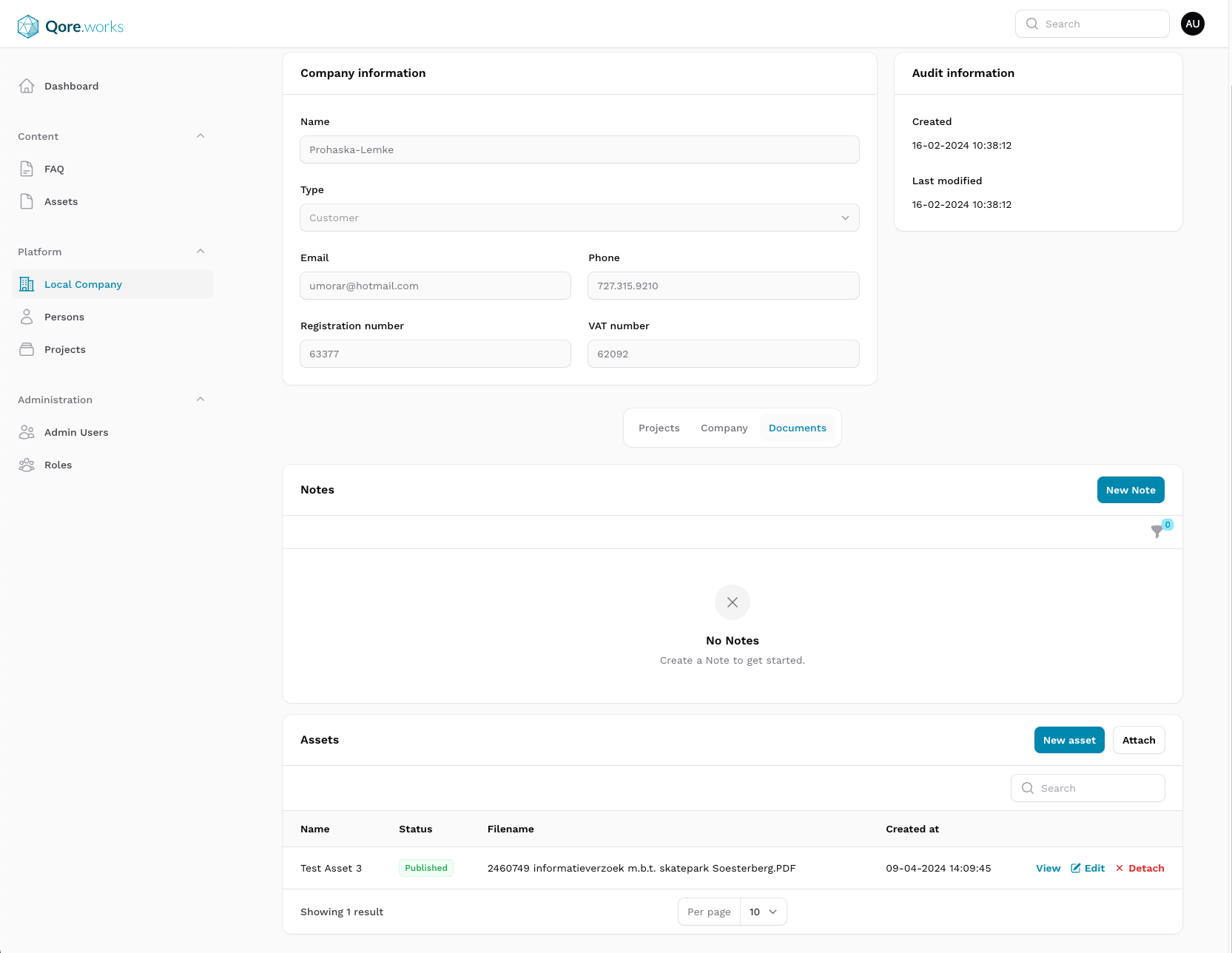
The Assets module offers a convenient way of adding assets to existing Resources using the AssetRelationManager.
Setup
In order two use the AssetRelationManager, it is adviced to create a new class that inherits from the AssetRelationManager class. This allows for more flexiblity and custimaztion option later in the development process.
use QoreWorksBusiness\QoreAdminBase\RelationManagers\AssetsRelationManager;

class ResourceSpecificAssetsRelationManager extends AssetsRelationManager {}
After creating the new class, it can be used in the corrosponding Recsource by adding it to the list of Relations. If this function already exists add your class to the array, otherwise create a new function. This function is Filament specific, and could have a different signature based on the filament versin used.
   public static function getRelations(): array
    {
        return [
            ResourceSpecificAssetsRelationManager::class,
        ];
    }
Events
The AssetRelationManager table has a "new asset" action. This action allows the user to upload new files to create assets and link them to the current resource. Because this is a multi-step process, listening to the default 'created' events fired by Assets won't always suffice. For this reason, the RelationManager fires a QoreWorksBusiness\QoreAdminBase\Events\AssetRelationManager\AssetsCreated event, providing an array of assets and the ownerModel they are linked to.
You can listen to this event in the created ResourceSpecificAssetsRelationManager by adding an event listener in its constructor.